


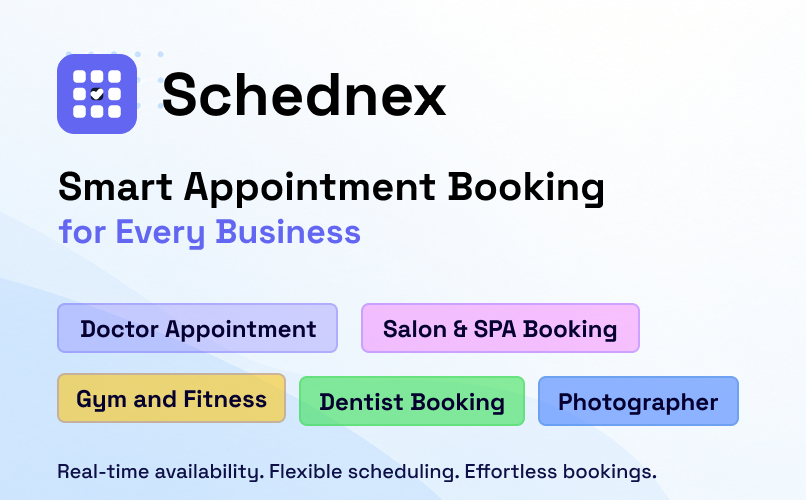
Managing appointments manually can become a challenge as a business grows. Customers send messages to ask about available times, staff members need to coordinate their schedules, and business owners spend valuable time confirming or updating bookings.
A simple online booking system can make this process much easier.
For WordPress website owners looking for a way to manage appointments directly from their website, Schednex Appointment Booking offers a practical solution. It allows customers to book services online while business owners manage appointments, staff, schedules and customer information from their WordPress dashboard.
Let’s look at how it works and what makes it useful for appointment-based businesses.
Why Do Businesses Need an Online Appointment Booking System?
Imagine running a salon where customers contact you throughout the day to book haircuts, beauty treatments or other services.
Every booking requires checking staff availability, confirming a suitable time and recording customer details. When everything is handled manually, mistakes and scheduling conflicts can happen.
An online appointment booking system helps organize this process.
Customers can check available time slots and submit their booking requests without having to contact the business directly. Meanwhile, business owners can manage their appointments from one place.
This can be particularly helpful for:
- Hair salons and barbershops
- Spas and wellness centers
- Clinics and dental practices
- Consultants and coaches
- Tutors and private instructors
- Gyms and fitness studios
- Photographers
- Repair and maintenance services
What Is Schednex Appointment Booking?
Schednex Appointment Booking is a WordPress plugin designed to help businesses accept and manage online appointments.
Instead of relying on phone calls, emails or social media messages, you can add a booking form to your WordPress website and allow visitors to select a service, choose a staff member and find an available appointment time.
The plugin includes an appointment calendar, service management, staff management, customer records, email notifications and an administrative dashboard.
It also checks availability on the server before saving a booking, helping prevent two customers from booking the same unavailable time slot.
You can find it in the official WordPress Plugin Directory:
Download Schednex Appointment Booking
Key Features of Schednex Appointment Booking
1. Simple Online Appointment Booking
The booking process is designed to be straightforward for customers.
They can follow a step-by-step flow:
- Select a service category.
- Choose a service.
- Select a staff member, if required.
- Pick an available date and time.
- Enter their contact details.
- Review and submit the booking.
The availability calendar displays bookable dates and time slots based on the configured schedule, staff availability, breaks, holidays and service capacity.
This helps customers find suitable appointment times without repeatedly contacting the business.
2. Flexible Service and Category Management
Every appointment-based business offers different services. A salon may provide haircuts, coloring and skincare, while a consultant may offer different types of consultation sessions.
With Schednex, you can create service categories and add individual services with details such as:
- Service name and description
- Price
- Appointment duration
- Booking capacity
- Maximum bookings per time slot
You can also choose whether service prices should appear on the public booking form.
This makes it easier to organize your offerings and give customers a clear booking experience.
3. Staff Management and Service Assignment
When a business has multiple employees, managing staff availability becomes important.
Schednex allows you to create staff profiles and assign services to individual team members.
Customers can select a preferred staff member during booking when staff selection is enabled for the service. You can also allow bookings without requiring customers to choose a specific person.
Staff accounts and a dedicated staff appointment portal are also available, making it easier for team members to view their assigned appointments.
4. Working Hours, Breaks and Holidays
Not every business operates at the same hours every day.
Schednex lets administrators configure weekly working hours, add breaks and block holidays or days off.
The booking calendar uses these settings when calculating available appointment times.
For example, if your business is closed on Sunday or a staff member has a scheduled break, those unavailable periods can be excluded from the booking calendar.
This helps keep the booking schedule organized and reduces the chance of scheduling conflicts.
5. Appointment Dashboard and Calendar
Managing bookings should not require checking multiple pages or spreadsheets.
Schednex provides an administrative dashboard where you can view and manage appointments.
You can:
- View appointments in a list or calendar.
- Create bookings manually.
- Search and filter appointments.
- Manage booking statuses.
- Track payment statuses.
- Review booking and customer information.
Available booking statuses include Pending, Confirmed, Completed, Cancelled and No Show.
This gives business owners a clearer overview of their daily appointment activity.
6. Customer Management and Customer Portal
Keeping customer information organized is useful for businesses that serve returning clients.
Schednex automatically creates customer records from bookings. Administrators can also add or edit customer information manually and review booking history.
Customers can use the customer appointment portal to access their appointment information and profile.
Having customer records in one place makes it easier to keep track of previous bookings and maintain an organized customer database.
7. Customizable Booking Form
A booking form should feel like a natural part of your website.
Schednex provides three booking form layouts:
- Classic
- Sidebar
- Compact
You can customize colors, headings, descriptions, booking step labels and form fields.
You can also configure fields such as phone number, attendees and notes, including whether they should be required or optional.
The live preview helps you review the appearance of your booking form while making changes.
8. Email Notifications
Customers want confirmation after submitting an appointment request.
Schednex supports email notifications for important booking events, including:
- Booking received
- Booking confirmed
- Booking cancelled
- Booking rescheduled
- New booking notification for administrators
Email templates can also be overridden through your WordPress theme, giving developers more control over notification content.
9. Multiple Ways to Display the Booking Form
You do not need to build a separate booking page from scratch.
Schednex supports a WordPress booking form block and shortcodes.
For example, you can use:
[ schednex_booking ]
You can also create a staff-specific booking page with:
This staff member is not available.
The plugin also supports popup booking buttons and a direct calendar booking mode.
These options make it easier to add booking functionality to different parts of your website.
10. Booking Protection and Data Privacy
Appointment availability needs to remain accurate, especially when several customers are trying to book at the same time.
Schednex checks availability again on the server before saving a booking. This helps prevent double bookings.
It also includes rate limiting and a hidden honeypot field to help protect the public booking form from spam submissions.
Booking and customer information is stored in your own WordPress database, without requiring an external booking account.

What About Online Payments and Google Calendar?
The free Schednex plugin supports pay-later bookings and administrative payment tracking.
Businesses that need additional functionality can explore Schednex Pro.
The Pro add-on includes:
- Stripe and PayPal checkout
- Google Calendar synchronization
- Multiple business locations
- Custom and staff-based schedules
- Elementor and block editor design widgets
Google Calendar synchronization can add bookings to your calendar, keep changes and cancellations in sync, and account for busy periods when displaying available slots.
This gives businesses more options as their appointment management requirements grow.
How to Get Started With Schednex
Getting started does not require a separate booking platform or external customer account.
Follow these steps:
- Open your WordPress dashboard.
- Go to Plugins → Add New.
- Search for Schednex Appointment Booking.
- Install and activate the plugin.
- Configure your working hours, holidays and currency.
- Create service categories and services.
- Add staff members and assign services.
- Add the booking form block or shortcode to a page.
- Customize the booking form to match your website.
Once everything is configured, visitors can start submitting appointment requests through your website.
Is Schednex a Good Choice for Your WordPress Website?
If you run a service-based business and want to accept appointments directly through your WordPress website, Schednex is worth exploring.
It brings together the essential parts of appointment management: services, staff, schedules, availability, customer records and booking notifications.
Rather than handling every appointment manually, you can give customers a convenient way to request available time slots while keeping your booking information organized in WordPress.
The free version provides the core booking functionality, while Schednex Pro offers additional tools for businesses that need payment gateways, calendar synchronization and more advanced scheduling options.
Final Thoughts
A good appointment booking system should make life easier for both customers and business owners.
Schednex Appointment Booking focuses on making online scheduling accessible from a WordPress website without requiring a separate booking platform.
Whether you manage a salon, clinic, consulting service, fitness studio or another appointment-based business, it offers a practical starting point for organizing your bookings.
Ready to simplify appointment scheduling on your WordPress website?